
StrikeScribe
Voice to text converter with insights you control
Upload video or audio and convert speech to text — then extract summaries, actions, and scorecards with templates tuned to your role. No meeting bots required.
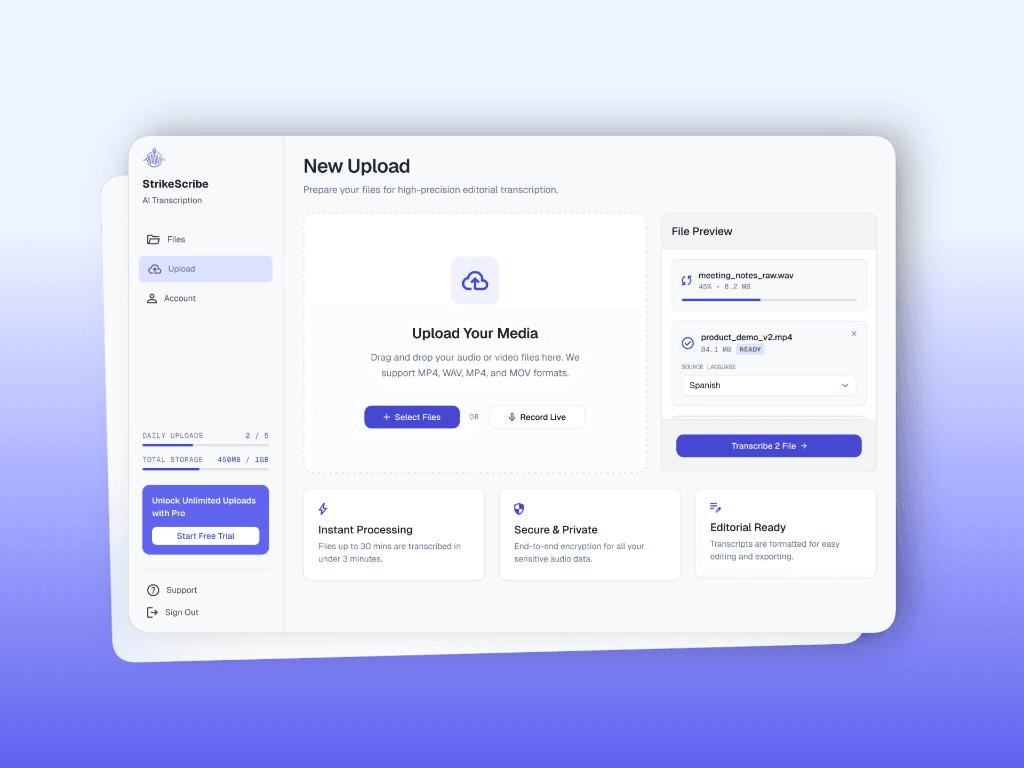
Upload
Drop files or record live — no meeting bots
Prepare video and audio for high-precision transcription. Select source language, track progress, and start when you're ready.
- Drag-and-drop MP4, WAV, MP3, MOV, and more
- Record live when you need a new take
- Guest mode to try before you save
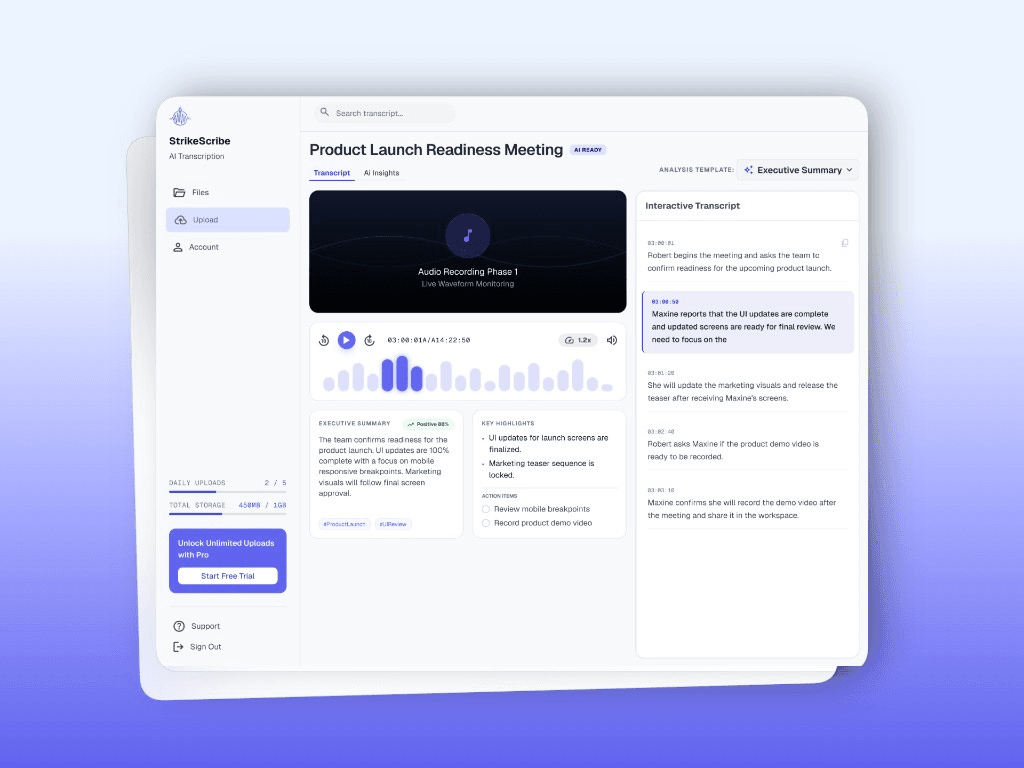
Transcripts
Editorial-ready transcripts with speakers and status
Browse every recording in one library. Expand files for speaker-labeled snippets, AI insight previews, and clear processing states.
- Speaker diarization in the transcript
- Completed, pending, queued, and failed states
- Search across your workspace files
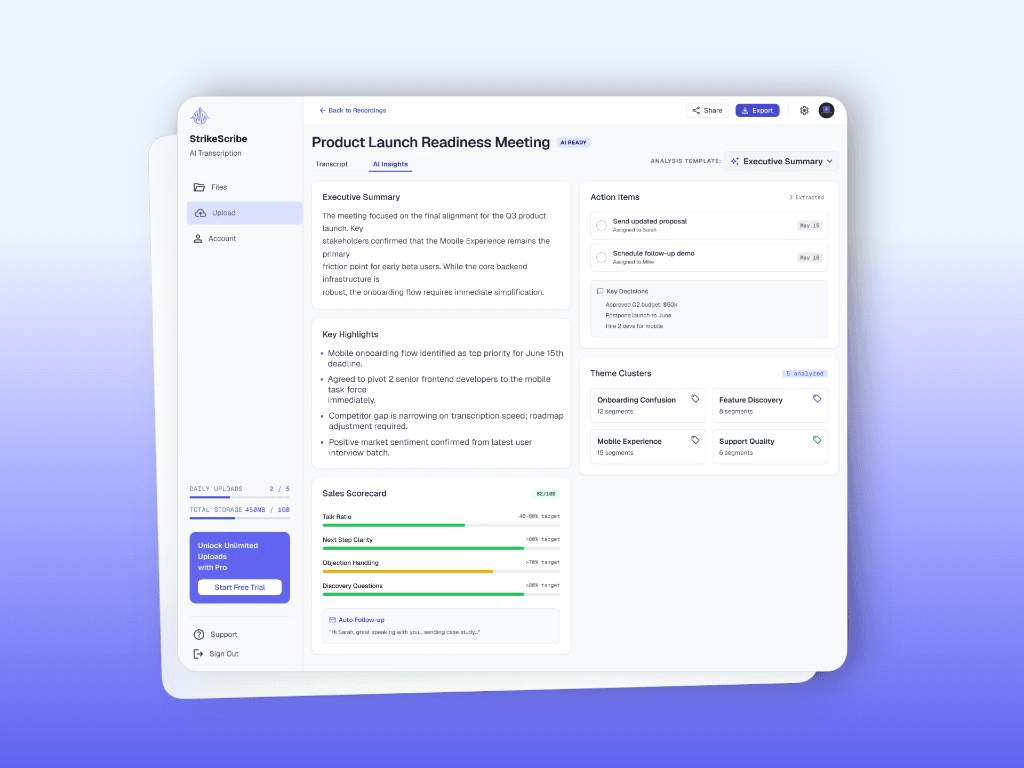
AI Insights
Summaries, actions, and scorecards — not just text
Switch to AI Insights for executive summaries, key highlights, action items, theme clusters, and role-specific scorecards.
- Executive summary with sentiment cues
- Assigned action items and key decisions
- Sales scorecards and research theme clusters
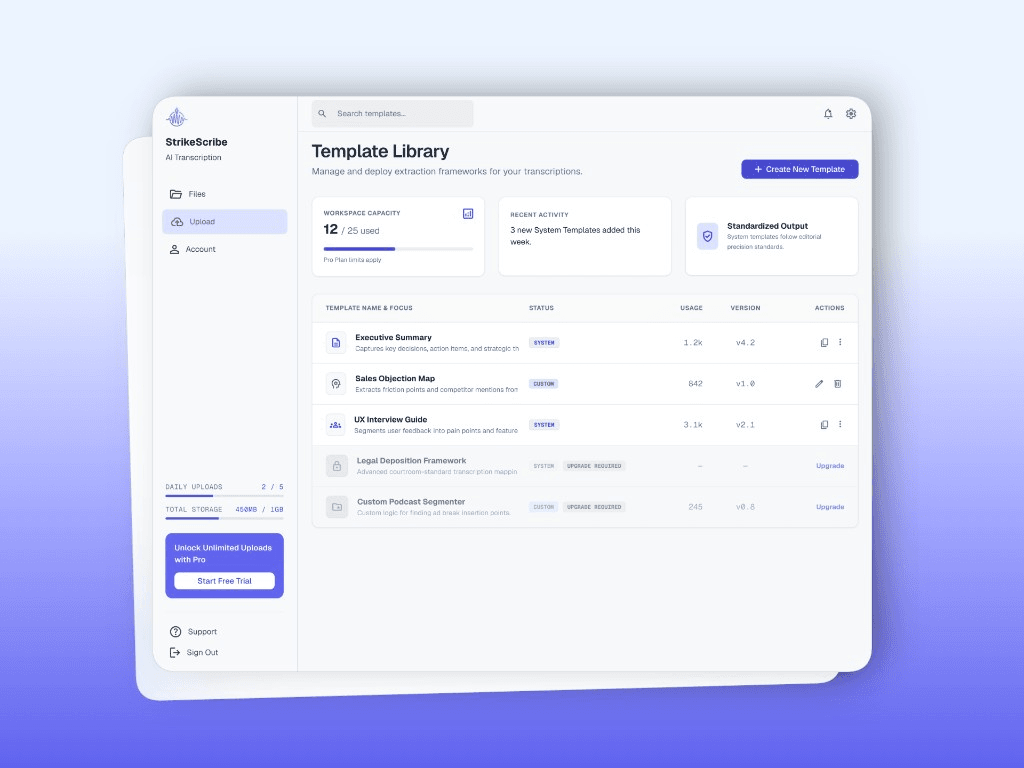
Templates
Extraction frameworks for every workflow
Deploy system templates like Executive Summary or UX Interview Guide — or build custom instruction blocks that match how your team analyzes recordings.
- System and custom templates in one library
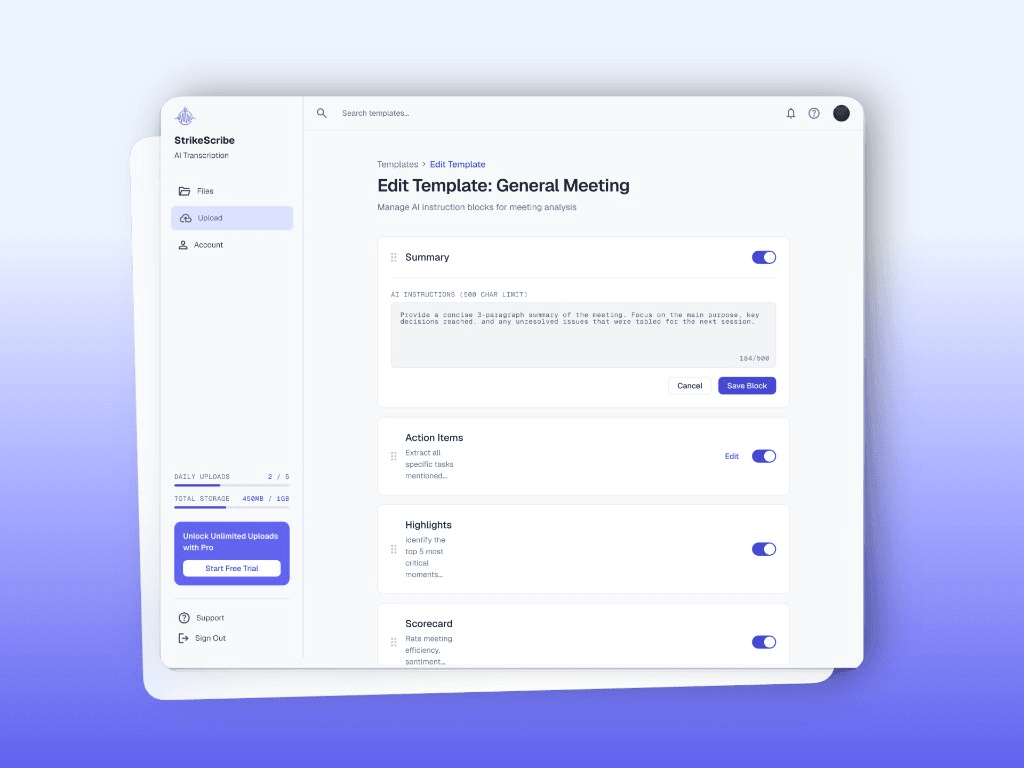
- Toggle summary, actions, highlights, scorecards
- Edit AI instructions per analysis block
Workspaces
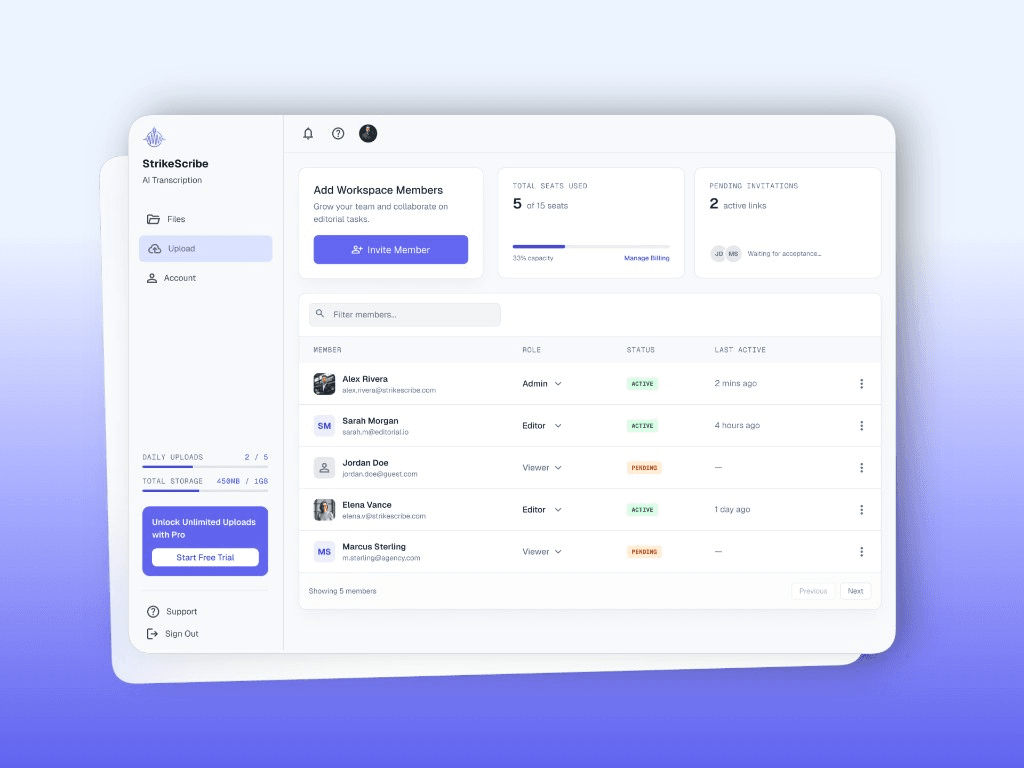
Collaborate with clear roles and seats
Invite admins, editors, and viewers. Track seats, pending invites, and keep editorial work moving across the team.
- Role-based access: Admin, Editor, Viewer
- Invite links with pending status
- Usage visibility for uploads and storage
Custom AI blocks
Shape exactly what the AI extracts
Toggle analysis blocks, edit instruction prompts, and save templates your team can reuse across every recording.
Ready to try it on a real file?
Record or upload as a guest — no card required.
Why teams switch
An Otter alternative built for upload workflows
Templates you own
System frameworks plus custom extraction blocks tuned to sales, UX, legal, and meetings.
Role-specific insights
Scorecards, theme clusters, action items, and follow-ups matched to how your team works.
100+ languages
Worldwide coverage with strong Arabic and English — including mixed-language speech.
No bot in the call
Upload any file. Keep meetings private without a stranger avatar in the room.
Templates you own
System frameworks plus custom extraction blocks tuned to sales, UX, legal, and meetings.
Role-specific insights
Scorecards, theme clusters, action items, and follow-ups matched to how your team works.
100+ languages
Worldwide coverage with strong Arabic and English — including mixed-language speech.
No bot in the call
Upload any file. Keep meetings private without a stranger avatar in the room.
See plans that match your volume
Start free, then upgrade for more minutes, seats, and team workflows.