
StrikeScribe

    TikTok Transcription — Video to Text

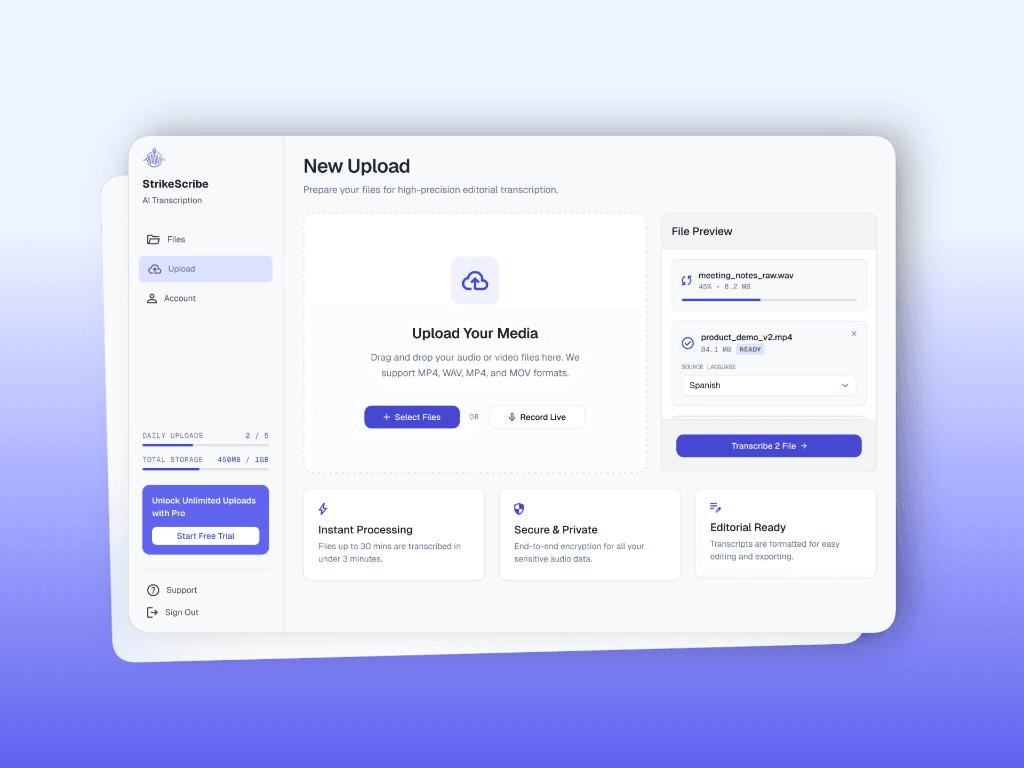
    Turn TikTok video exports into searchable text — upload a file you own, then review the transcript and AI insights. No URL scrape.

    • Guest upload — free to try with no signup
    • Upload-first workflow — no meeting bot
    • 100+ languages with searchable transcripts
    • AI summaries, actions, and scorecards

    StrikeScribe

    TikTok export transcript

    Processing
    • Speaker 100:12

      Let's lock the launch checklist before Friday.

    • Speaker 200:19

      I'll own the follow-ups and share the summary with the team.

    • Speaker 100:27

      Great — capture action items and decisions in one place.

    How it works

    From recording to searchable notes

    1. 1

      Export a file you own

      Download or export the TikTok video or audio for content you have rights to — StrikeScribe does not import TikTok URLs directly.

    2. 2

      Upload to StrikeScribe

      Open the guest demo and upload MP4, MOV, WebM, MP3, or another supported format.

    3. 3

      Get searchable text

      Review the transcript, pull quotes for captions or scripts, and save the file when you create a free account.

    4. 4

      Reuse the content

      Draft hooks, show notes, or multilingual scripts from the same transcript.

    Formats

    Built for real files you already have

    Upload common audio and video formats from your browser. Clear recordings with minimal background noise produce the best results.

    Supported uploads: MP3, WAV, M4A, AAC, OGG, MP4, MOV, and WebM.

    • MP3
    • WAV
    • M4A
    • AAC
    • OGG
    • MP4
    • MOV
    • WebM
    StrikeScribe upload workflow for short-form video files

    An honest TikTok-to-text workflow

    Many converters advertise “paste a TikTok link.” StrikeScribe stays upload-first: you control the file, the consent, and the rights. That fits creators who already download their own drafts or finished exports — not automated scraping of third-party clips.

    What you get after upload

    A searchable transcript, optional AI summaries and highlights, and workspace storage once you create a free account. Use the text to draft on-screen captions elsewhere until timed SRT/VTT export ships.

    FAQ

    Frequently asked questions

    Try transcript AI before you sign up

    Upload audio or video in guest mode — free to try with no account. Create a free account when you want to save files and unlock your workspace.