
Archives reporters can actually search
Tape logs and scrubbing timelines slow editorial teams. Upload interview and podcast files to build a searchable text archive — multilingual when your sources are — then reuse quotes in articles and newsletters.
- Field recorder WAV and MP3 uploads
- Podcast episode show notes from transcripts
- Arabic and English dialect-aware transcription options
How our media transcription services work
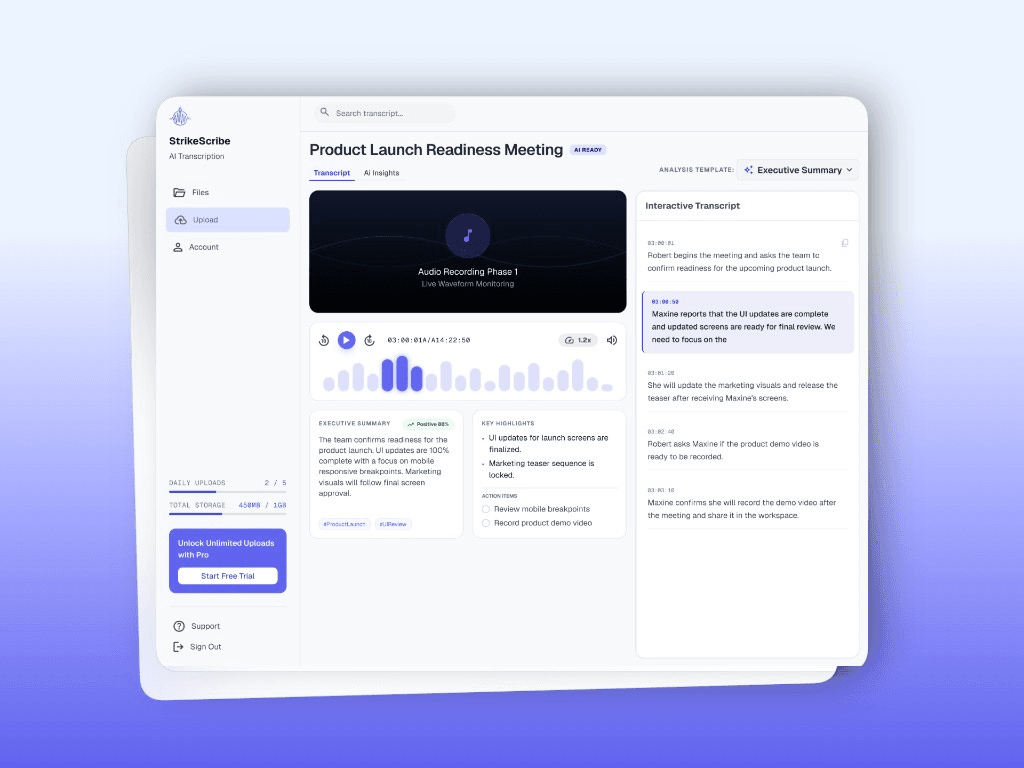
Media transcription services start with a file, not a live call. Upload an interview, podcast episode, or field recording — or try one free through guest mode — and StrikeScribe returns a searchable transcript with speaker labels in minutes. Review and edit the text in your workspace, then run an AI summary template to draft pull quotes, show notes, or a recap before you publish.
- Speaker labels for multi-person interviews and panel recordings
- AI summary templates for show notes and quote pulling
- Workspace roles so producers, editors, and researchers share one archive
Who uses media transcription services
Journalists transcribing source interviews, podcast producers turning episodes into searchable archives and show notes, documentary researchers logging field tape, and oral historians building searchable collections all use the same upload-first workflow — no live bot joins a call, so it works equally well for recordings made months ago as for a file exported this morning.
What media teams should not expect yet
No broadcast caption certification, no Premiere/FCP plugins, and no automatic SRT download. The product strength is accurate transcripts and AI summaries from files you own.
Upload-first workflow
- 1Export
- 2Upload
- 3Transcript
- 4Insights
- 5Share