
When live transcription helps
Use live captions to follow a conversation in a second language, keep an accessible record while you present, or capture lecture notes as they happen — then save the text instead of re-listening later.
StrikeScribe
Start a live session and watch your words appear as you speak. Save it as a searchable transcript when you're done.
StrikeScribe
Live caption session
Let's lock the launch checklist before Friday.
I'll own the follow-ups and share the summary with the team.
Great — capture action items and decisions in one place.
How it works
Choose Live in the transcription tool and allow microphone access.
Captions appear on screen in real time as you talk.
Save the session to your library as a transcript.
Search the text, run AI summaries, or export SRT, VTT, or TXT.
Formats
Upload common audio and video formats from your browser. Clear recordings with minimal background noise produce the best results.
Supported uploads: MP3, WAV, M4A, AAC, OGG, MP4, MOV, and WebM.
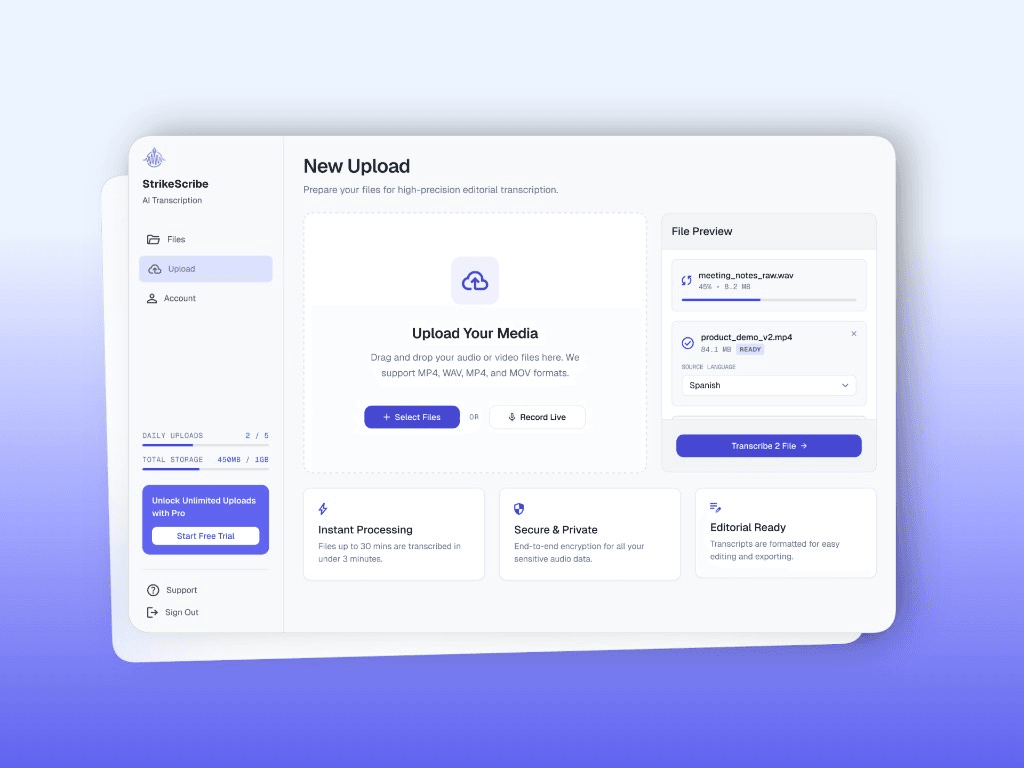
Use live captions to follow a conversation in a second language, keep an accessible record while you present, or capture lecture notes as they happen — then save the text instead of re-listening later.
FAQ
Upload audio or video in guest mode — free to try with no account. Create a free account when you want to save files and unlock your workspace.