
StrikeScribe

    Convert M4A to Text

    Upload M4A recordings — including iPhone Voice Memos exports — and get accurate, searchable transcripts in minutes.

    • Guest upload — free to try with no signup
    • Upload-first workflow — no meeting bot
    • 100+ languages with searchable transcripts
    • AI summaries, actions, and scorecards

    StrikeScribe

    M4A transcript preview

    Processing
    • Speaker 100:12

      Let's lock the launch checklist before Friday.

    • Speaker 200:19

      I'll own the follow-ups and share the summary with the team.

    • Speaker 100:27

      Great — capture action items and decisions in one place.

    How it works

    From recording to searchable notes

    1. 1

      Upload or record

      Open the guest demo — free to try with no signup — then upload an audio or video file, or record live in your browser.

    2. 2

      Run transcript AI

      StrikeScribe converts speech to searchable text across 100+ languages and labels speakers when the recording supports it.

    3. 3

      Review insights

      Search the transcript, run AI insight templates for summaries and action items, then create a free account to save files.

    4. 4

      Share with your team

      Keep work in a workspace with roles for admins, editors, and viewers when you are ready to collaborate.

    Formats

    Built for real files you already have

    Upload common audio and video formats from your browser. Clear recordings with minimal background noise produce the best results.

    Supported uploads: MP3, WAV, M4A, AAC, OGG, MP4, MOV, and WebM.

    • MP3
    • WAV
    • M4A
    • AAC
    • OGG
    • MP4
    • MOV
    • WebM
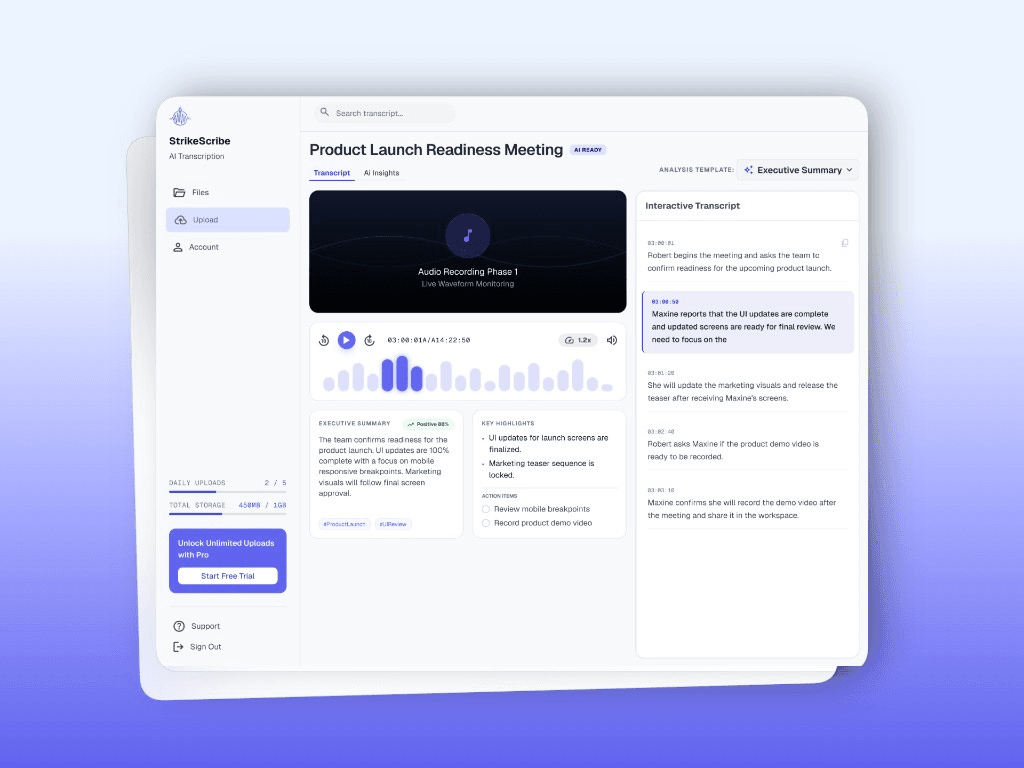
    StrikeScribe transcript view for uploaded audio

    Why M4A shows up so often

    M4A is Apple's default audio export format — Voice Memos, GarageBand, and many recorder apps save to M4A automatically. It compresses well without losing much clarity, which makes it a common upload format for quick notes and interviews.

    • Default format for iPhone Voice Memos exports
    • Smaller file size than WAV with comparable clarity
    • Works alongside MP3 and WAV uploads in the same workspace

    M4A to searchable transcript

    Export or AirDrop the M4A file from your phone or recorder, upload it in the guest demo, and review the transcript with speaker labels when available. Save it in a free workspace when you want to search across past recordings.

    FAQ

    Frequently asked questions

    Try transcript AI before you sign up

    Upload audio or video in guest mode — free to try with no account. Create a free account when you want to save files and unlock your workspace.