
StrikeScribe

    Voice Memo to Text

    Upload a voice memo from your phone and get a searchable, editable transcript in minutes — no separate app to install.

    • Guest upload — free to try with no signup
    • Upload-first workflow — no meeting bot
    • 100+ languages with searchable transcripts
    • AI summaries, actions, and scorecards

    StrikeScribe

    Voice memo transcript preview

    Processing
    • Speaker 100:12

      Let's lock the launch checklist before Friday.

    • Speaker 200:19

      I'll own the follow-ups and share the summary with the team.

    • Speaker 100:27

      Great — capture action items and decisions in one place.

    How it works

    From recording to searchable notes

    1. 1

      Export the voice memo

      Share or save the recording from your phone's Voice Memos or recorder app — it typically saves as M4A.

    2. 2

      Upload to StrikeScribe

      Open the guest demo and upload the file — free to try with no signup.

    3. 3

      Get searchable text

      Review the transcript, run AI summaries, and save the file when you create a free account.

    4. 4

      Reuse the content

      Search past memos, pull quotes, or turn notes into follow-ups once saved in a workspace.

    Formats

    Built for real files you already have

    Upload common audio and video formats from your browser. Clear recordings with minimal background noise produce the best results.

    Supported uploads: MP3, WAV, M4A, AAC, OGG, MP4, MOV, and WebM.

    • MP3
    • WAV
    • M4A
    • AAC
    • OGG
    • MP4
    • MOV
    • WebM
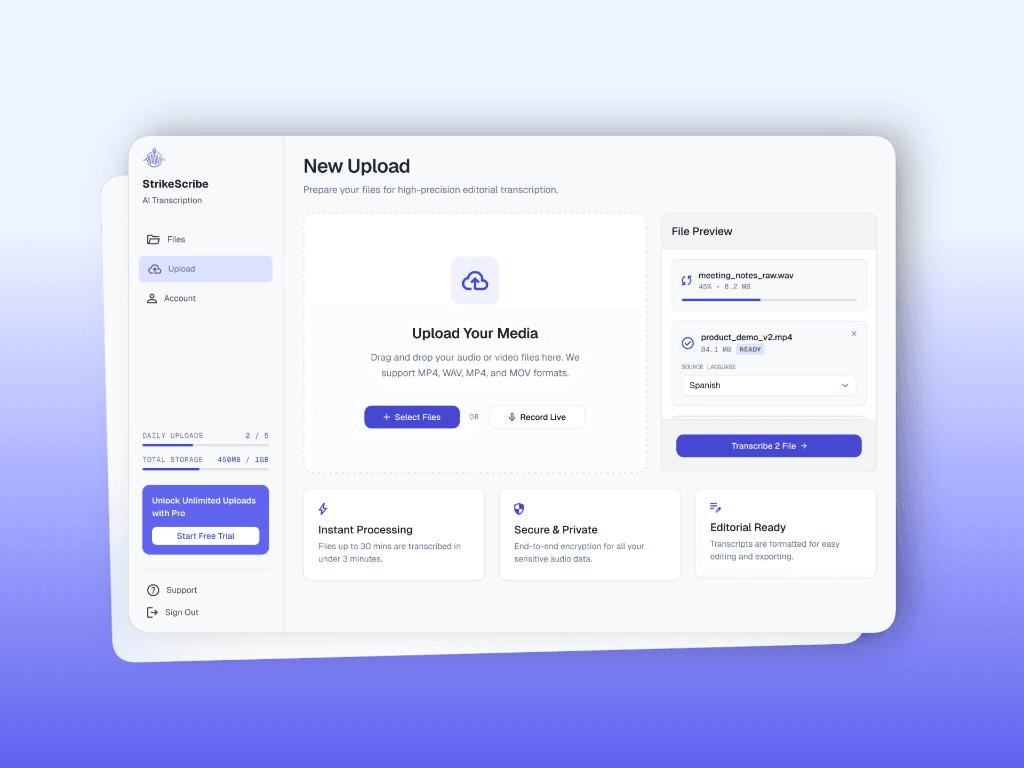
    StrikeScribe upload screen for phone voice memos

    Why voice memos pile up untranscribed

    Phone voice memos are fast to record but slow to revisit — scrubbing through them to find one idea wastes more time than the memo saved. Turning them into searchable text means you can find a thought by keyword instead of by memory.

    • Search across dozens of memos instead of replaying each one
    • Turn quick voice notes into text you can paste elsewhere
    • Works for interviews, reminders, and field notes alike

    From phone recording to text

    Export the memo from your phone's recorder app, upload it in the guest demo, and review the transcript. Create a free account to keep a searchable library of past memos instead of a folder of audio files.

    FAQ

    Frequently asked questions

    Try transcript AI before you sign up

    Upload audio or video in guest mode — free to try with no account. Create a free account when you want to save files and unlock your workspace.