
StrikeScribe

    Record and Transcribe in Your Browser

    Record audio live and turn it into searchable text — capture a take in guest mode, then review the transcript and AI insights.

    • Guest upload — free to try with no signup
    • Upload-first workflow — no meeting bot
    • 100+ languages with searchable transcripts
    • AI summaries, actions, and scorecards

    StrikeScribe

    Live recording transcript

    Processing
    • Speaker 100:12

      Let's lock the launch checklist before Friday.

    • Speaker 200:19

      I'll own the follow-ups and share the summary with the team.

    • Speaker 100:27

      Great — capture action items and decisions in one place.

    How it works

    From recording to searchable notes

    1. 1

      Start recording

      Open the guest demo and use browser recording to capture audio when you need a fresh take.

    2. 2

      Stop and process

      Finish the recording and let StrikeScribe run transcript AI on the captured file.

    3. 3

      Review the text

      Search the transcript, fix any spots that need edits, and run insight templates.

    4. 4

      Save when ready

      Create a free account to keep recordings, or keep using guest mode for one-off trials.

    Formats

    Built for real files you already have

    Upload common audio and video formats from your browser. Clear recordings with minimal background noise produce the best results.

    Supported uploads: MP3, WAV, M4A, AAC, OGG, MP4, MOV, and WebM.

    • MP3
    • WAV
    • M4A
    • AAC
    • OGG
    • MP4
    • MOV
    • WebM
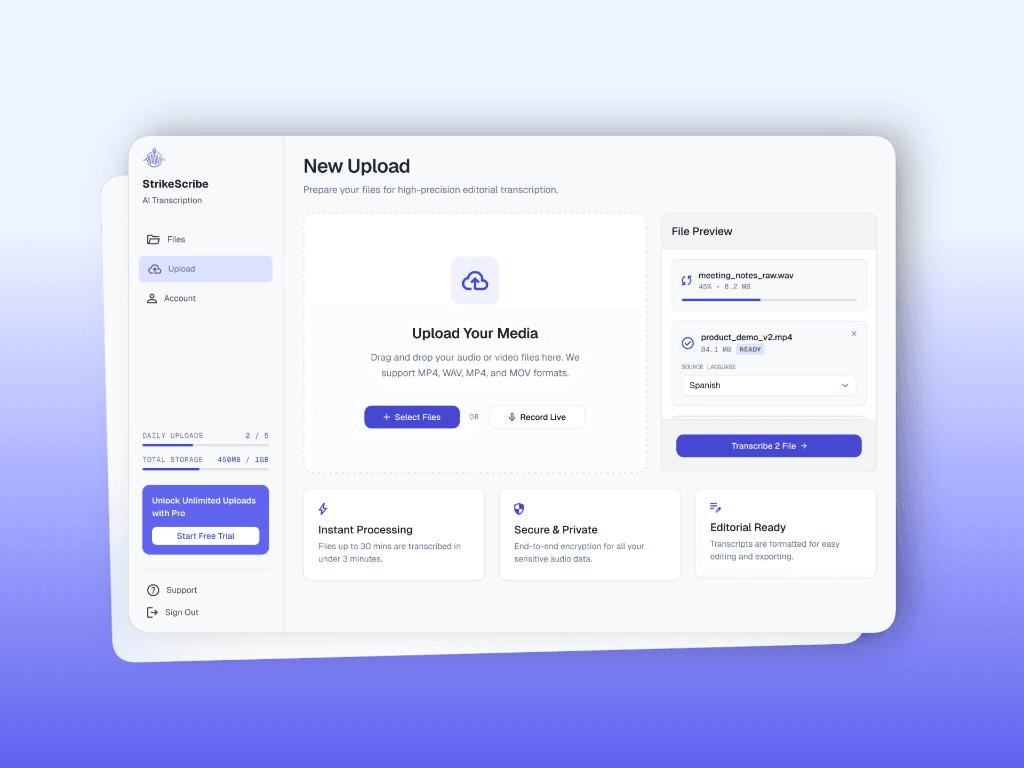
    StrikeScribe upload and live record screen

    When to record in the browser

    Browser recording fits quick voice notes, interviews on your laptop, or capturing a conversation when you do not already have an export. For platform meetings, exporting Zoom or Teams audio and uploading the file is often cleaner.

    • Capture ideas and interviews without extra hardware apps
    • Stay upload-first — no bot joins someone else’s call
    • Switch to file upload anytime you already have an MP3 or WAV

    After you hit stop

    The recording becomes a media file StrikeScribe can transcribe like any other upload. Review the text, run AI templates, and save the session in a workspace when you are ready.

    FAQ

    Frequently asked questions

    Try transcript AI before you sign up

    Upload audio or video in guest mode — free to try with no account. Create a free account when you want to save files and unlock your workspace.