
StrikeScribe

    Convert Video to Text

    Turn video audio into accurate, editable transcripts — upload MP4, MOV, or WebM and review searchable text with AI insights.

    • Guest upload — free to try with no signup
    • Upload-first workflow — no meeting bot
    • 100+ languages with searchable transcripts
    • AI summaries, actions, and scorecards

    StrikeScribe

    Video transcript preview

    Processing
    • Speaker 100:12

      Let's lock the launch checklist before Friday.

    • Speaker 200:19

      I'll own the follow-ups and share the summary with the team.

    • Speaker 100:27

      Great — capture action items and decisions in one place.

    How it works

    From recording to searchable notes

    1. 1

      Upload or record

      Open the guest demo — free to try with no signup — then upload an audio or video file, or record live in your browser.

    2. 2

      Run transcript AI

      StrikeScribe converts speech to searchable text across 100+ languages and labels speakers when the recording supports it.

    3. 3

      Review insights

      Search the transcript, run AI insight templates for summaries and action items, then create a free account to save files.

    4. 4

      Share with your team

      Keep work in a workspace with roles for admins, editors, and viewers when you are ready to collaborate.

    Formats

    Built for real files you already have

    Upload common audio and video formats from your browser. Clear recordings with minimal background noise produce the best results.

    Supported uploads: MP3, WAV, M4A, AAC, OGG, MP4, MOV, and WebM.

    • MP3
    • WAV
    • M4A
    • AAC
    • OGG
    • MP4
    • MOV
    • WebM
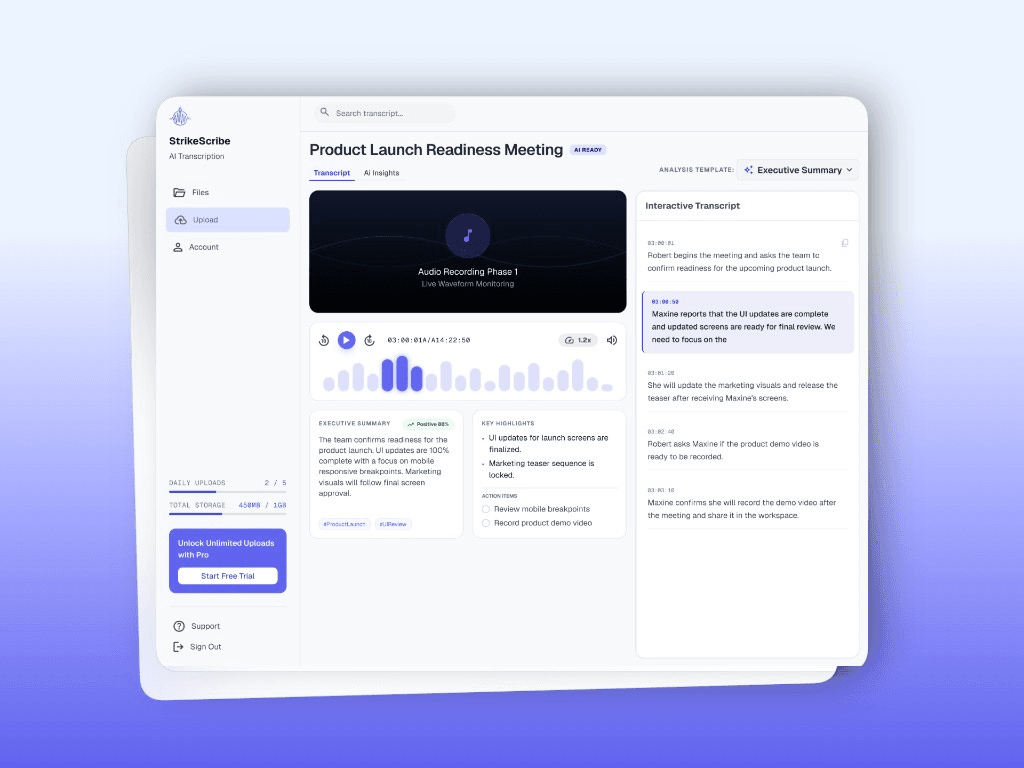
    StrikeScribe transcript view for uploaded media

    Why convert video to text

    Video holds meetings, webinars, tutorials, and interviews — but scrubbing a timeline is slow. A transcript lets you search dialogue, pull quotes, draft summaries, and share decisions without rewatching every minute.

    • Index spoken content for SEO and internal search
    • Support accessibility reviews with a text record
    • Feed AI insight templates for highlights and actions

    Supported video formats

    Upload MP4, MOV, or WebM from your browser. If your editor exports a different container, convert or re-export to a supported format first. Audio-only MP3 and WAV uploads are available on the related converter pages.

    FAQ

    Frequently asked questions

    Try transcript AI before you sign up

    Upload audio or video in guest mode — free to try with no account. Create a free account when you want to save files and unlock your workspace.